My Skills on Unreal Engine 4
I have started using Unreal Engine 4 in 2017, when I was in 3rd year at Rubika, and I used it for a lot of long projects during my scholarship since.
I discovered a lot of interesting features and workflow on the software and I took the time to analyze and understand them.
I’ve started using Unreal Engine using only Blueprints but in 2019 I’ve started using C++! I love the littles features of the softs like the databases which allows me to create a lot of content quickly once I’ve coded my main system.
Unreal Engine 4 was a little hard to understand at first but now I had a lot of lessons about it and a lot of time to experiment it. It’s really a lot of fun to use and I love testing crazy ideas on it!
How to work with the Unreal Engine workflow
I had a lot of lessons (especially during my 4th years) about Unreal Engine and its workflow. So, I have a global understanding of the software and of the good practices to have when you use it.
I know how to name and sort my files on the project architecture, and where I must put each portion of code in function of when it must be called in the game. For example, I can tell where to put a code portion either in the game state, game instance, or game mode.
I had the occasion to experiment on a lot of the software features as the Data tables, String table, Data Assets, the sequencer, behaviour tree etc…
And as you will see bellow of course I have a lot of experience with some the features and assets of the soft.
Blueprints
With 3 years of experiences with Unreal Engine 4, I had the time to experiment a lot with the blueprints.
I know how to create a dynamic and flexible code using features likes components, Interfaces, or the parenting system for example.
C++ in Unreal Engine
At the end of 2019, I’ve started learning how to use C++ in Unreal Engine 4. As for today, I have the knowledge to create a full project in C++ with the software, by creating Actors, Component, Game instance, etc…
I can code new Blueprint nodes and extension with a Function Library.
I am learning and improving my capacity to program tools and editor plugin in C++.
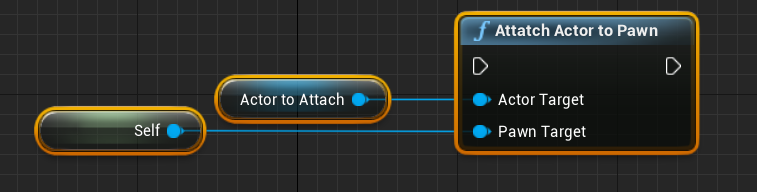
Example of a Node I made in C++
void UTKCPPLibrary::AttatchActorToPawn(AActor* actorTarget, APawn* pawnTarget)
{
	FAttachmentTransformRules attach_rules = FAttachmentTransformRules(EAttachmentRule::KeepWorld, false);
	actorTarget->AttachToActor(pawnTarget, attach_rules);

	return;
}
And it’s result in the Editor
Tool Design in Unreal Engine 4
I use a lot of Unreal Engine 4 features to set up a smooth work environment adapted to the project the team is working on and improves the efficiency of everybody.
For example, if somebody does not know how to use blueprints but do a lot of Level building, I might code something with a construction script to simplify his/her task.
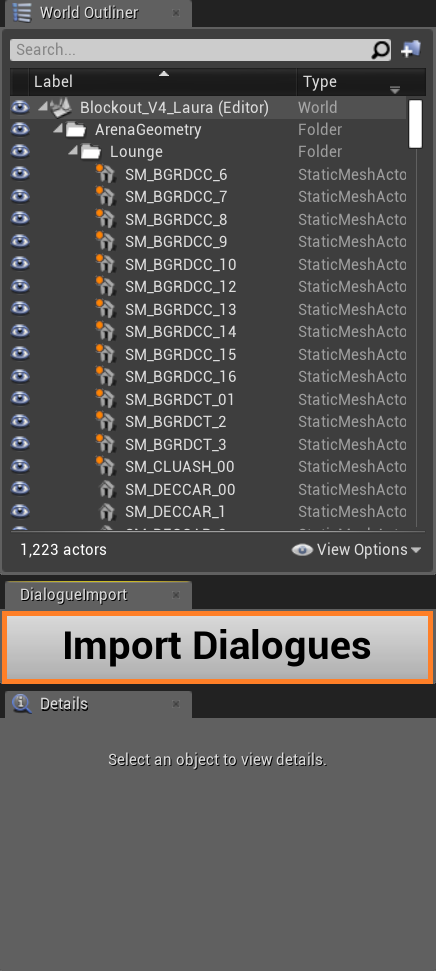
I can use the Bluetility system to establishes an easier way to work; for example, create a button used by the designer to set up features or to link Unreal Engine with an outside tool.
Example of my utilisation of the Bluetility
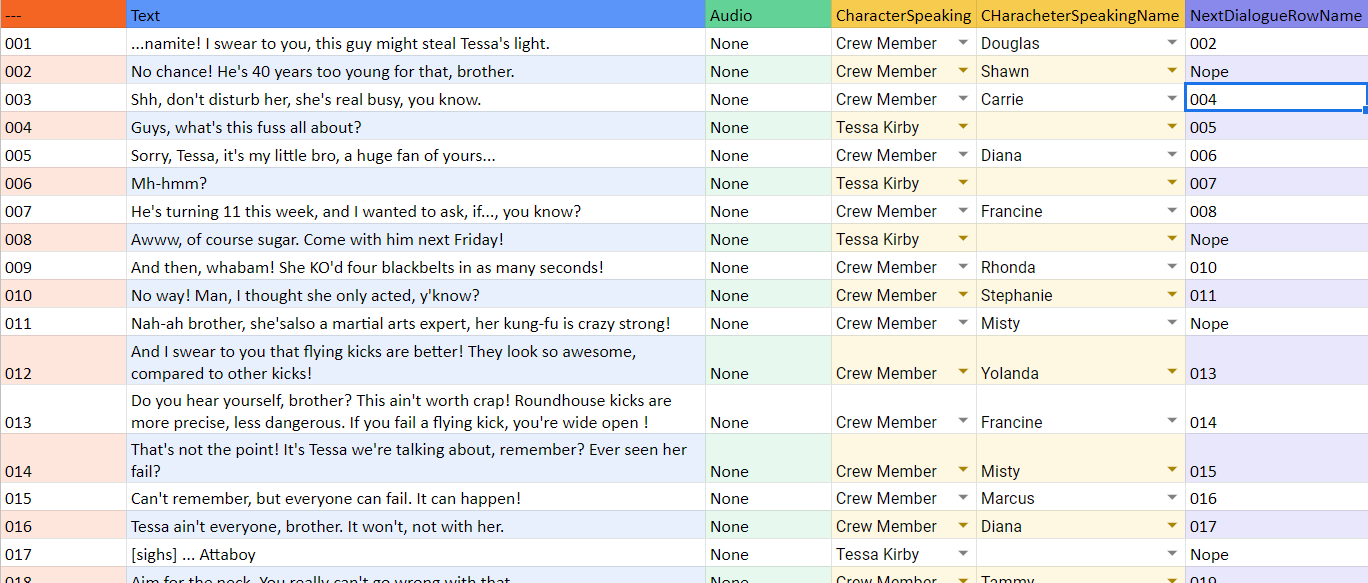
My colleagues have a sheet to fill on Excel or google sheets
I just have to press this button to import the file in UE
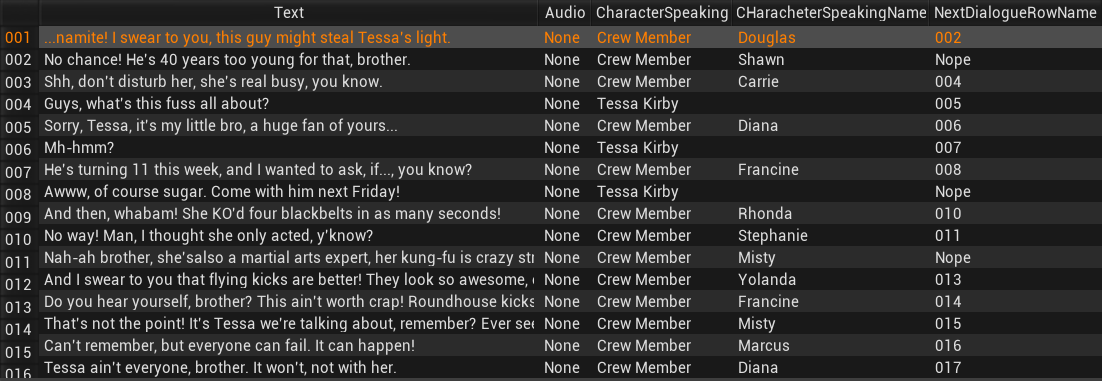
I also set up preset of actors to allow designers and people who knows just the basics of blueprint to test features or implement easily new ideas. I can too, create macro and function library to simplify blueprint utilization and factorize methods or code portion we might use a lot to avoid copy/past.
UI Workflow
For my graduation project Tough Kookie, I did some retro engineering about UI in Unreal Engine to create an UI Workflow adapted to the project. From this experience I learn how work the UI workflow of Unreal and I now can use it and/or modify it for a project.
Others Workflow
Level Creation Workflow
I know how to use the terrain tool of Unreal but mainly, I’m used to the Level Streaming based workflow and how to code by being aware of it, for optimize level for example. In Tough Kookie, I used a Level Streaming based system to change of Level and attribute a different game mode per Level in function of the needs of the game.
Animation Workflow
I can use all the animation-related tool in Unreal Engine 4: AnimBP, AnimMontages, AnimNotify, etc… And how to links animation to the gameplay with code.
Basic Graphic Workflow
I know the basics of the graphic workflow in UE4; I know how to set up a lighting and a post process. I also can create some shaders.